

Digital Video Recorders (DVR) and Network Video Recorders (NVR) are the heart of every security camera system. It critiques the final outcome of your captured footage, which is the entire complexity of its existence. Naturally a consumer wants to know how clear the video resolution will be from a system before making a purchase decision. Our whole site is filled with relevant material in pursuit of a well educational experience for our guests. This segment focuses on resolution qualities and what they consist of.
2 Megapixel IP camera VS an analog D1 (700tvl) Resolution Camera
This is a side by side demo of a 2 Megapixel IP camera VS an analog D1 Resolution camera, zoomed in several times to show how much detail is lost with analog vs megapixel IP camera.
View camera resolutions from 700TVL up to IP camera 5mp
In this demo, we demonstrate the relative size differences of the resolutions of the security cameras we carry at SecurityCameraKing.com
View camera resolutions 1mp vs 2mp
This is a side by side resolution size comparison of our 1 Megapixel and 2 megapixel HD-CVI cameras.
See the Difference Select the image. Click to View larger size
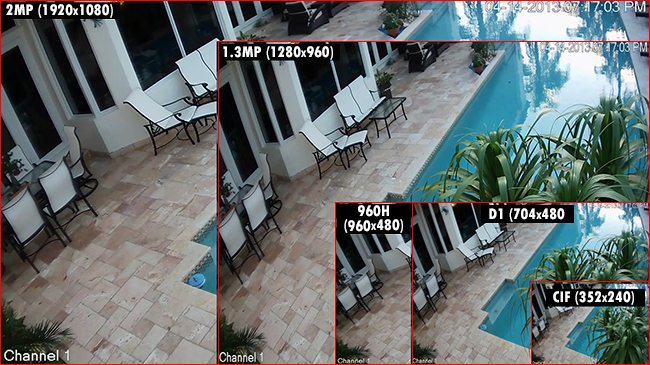
Analog D1 720 x 480
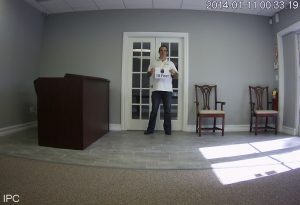
DVR
1.3 Megapixel IP 1280 x 960 (720p)
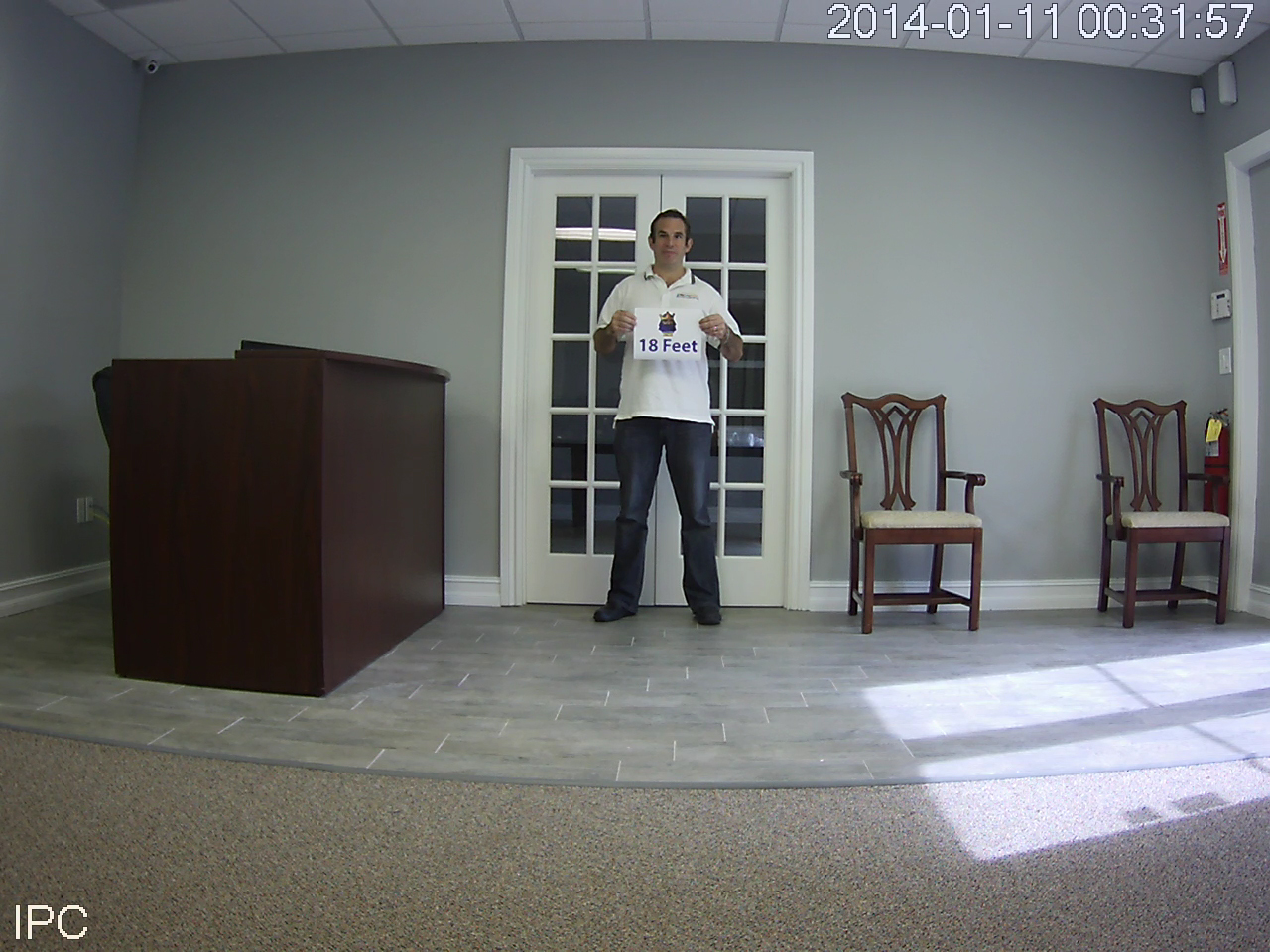
NVR
2 Megapixel IP 1920 x 1080(1080p)
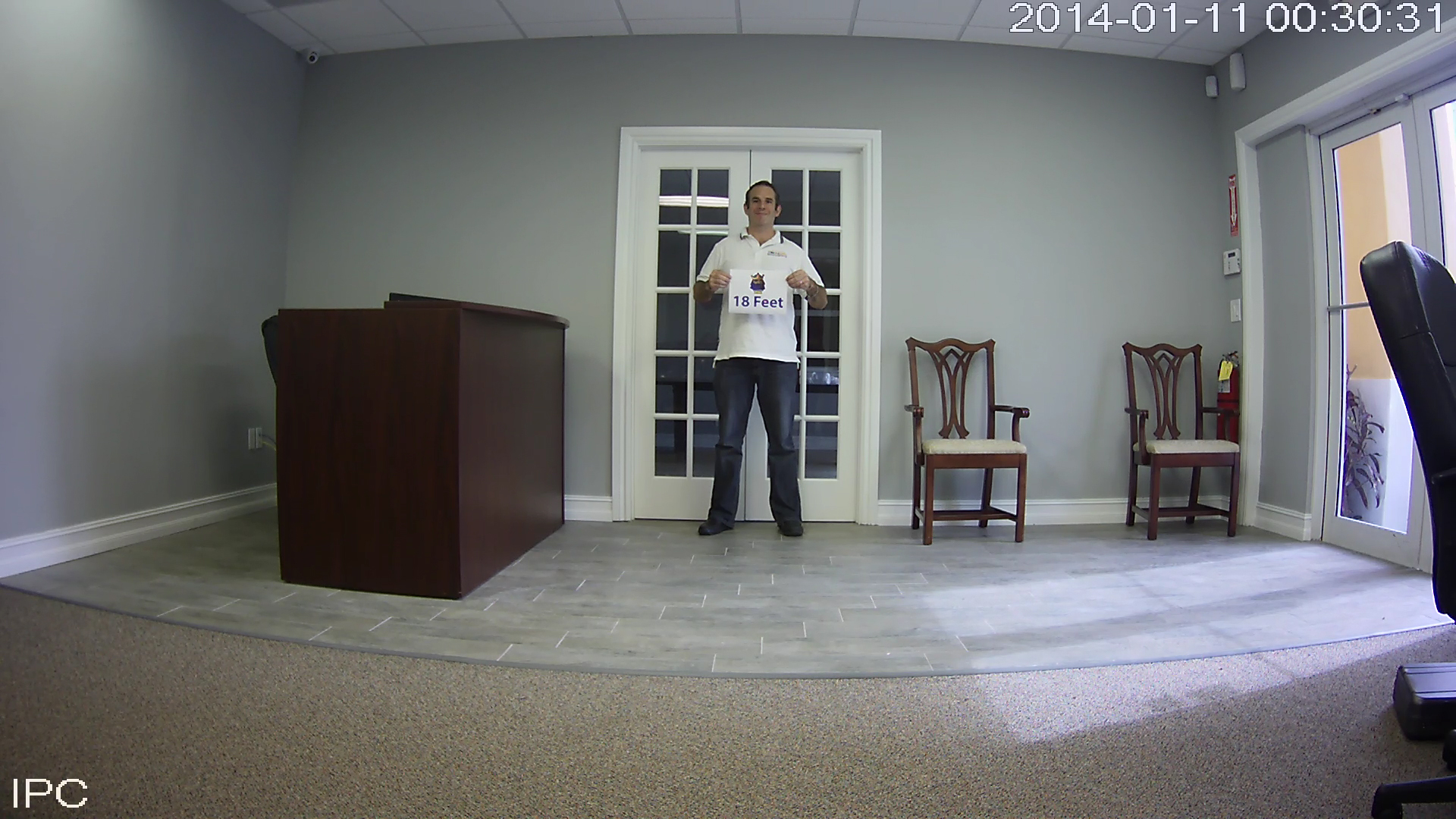
NVR
Vertical and horizontal TVL (television lines)
A CCTV cameras resolution is measured in vertical and horizontal TVL (television lines) dimensions and often limited by the capabilities of both the camera and the recorder. CCTV systems use an analog video signal which derives from television specifications. NTSC (National Television System Committee) and PAL (Phase Alternating Line) resolutions are two respected analog video standards. They are the relevant formats to network video since video encoders provide like-wise resolutions when they digitize signals from the transmissions received from analog cameras. In the NTSC world, a true classification of “D1” entails 720×480 pixels. In the digital video recorder (DVR) world you get a type of, if you will, a cropped D1; which is a pixel ratio 704×480, also referred to as 4CIF. For me to accurately describe the concept of resolution of an analog video in a simplistic manner is difficult. Let’s begin with first understanding the difference between a TVL line and a pixel. Resolution in an analog or digital picture is similar, but there are some vital differences in how it is defined. As I stated before, an analog video is an image consisting of TV-lines since analog video technology is derived from the television industry. In a digital system, an image is made up of square pixels. This picture is composed over a 480 active horizontal lines. When the picture is sent to the DVR the first field of 240 even-numbered lines is sent followed by the second field of 240 odd-numbered lines. This occurs at a rate of 60 fields (or “i’ frames) per second. The odd and even fields are offset one line apart, so when viewed in rapid succession (60 fields per second) they interfix into one another to contrive a complete picture, commonly referred to as a frame, which is made up of 2 x 240 (480) lines. This is called interlaced video.
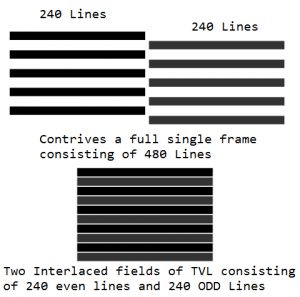 What’s the difference betwen a TVl and a Pixel
Let’s begin with first understanding the difference between a TVL line and a pixel. Resolution in an analog or digital picture is similar, but there are some vital differences in how it is defined. As I stated before, an analog video is an image consisting of TV-lines since analog video technology is derived from the television industry. In a digital system, an image is made up of square pixels. This picture is composed over a 480 active horizontal lines. When the picture is sent to the DVR the first field of 240 even-numbered lines is sent followed by the second field of 240 odd-numbered lines. This occurs at a rate of 60 fields (or “i’ frames) per second. The odd and even fields are offset one line apart, so when viewed in rapid succession (60 fields per second) they interfix into one another to contrive a complete picture, commonly referred to as a frame, which is made up of 2 x 240 (480) lines. This is called interlaced video.
Resolution in an analog or digital picture is similar, but there are some vital differences in how it is defined. As I stated before, an analog video is an image consisting of TV-lines since analog video technology is derived from the television industry. In a digital system, an image is made up of square pixels. This picture is composed over a 480 active horizontal lines. When the picture is sent to the DVR the first field of 240 even-numbered lines is sent followed by the second field of 240 odd-numbered lines. This occurs at a rate of 60 fields (or “i’ frames) per second. The odd and even fields are offset one line apart, so when viewed in rapid succession (60 fields per second) they interfix into one another to contrive a complete picture, commonly referred to as a frame, which is made up of 2 x 240 (480) lines. This is called interlaced video.
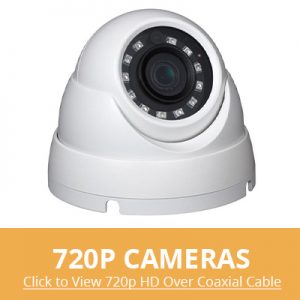
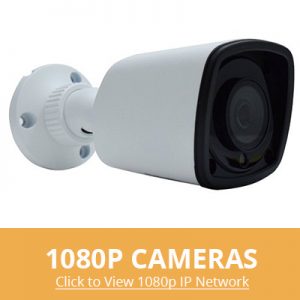
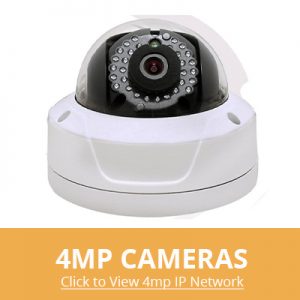
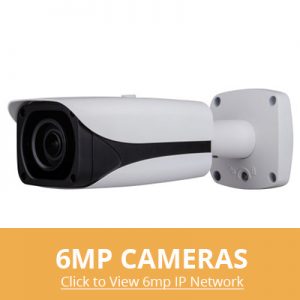
How to Calculate CCTV Camera Resolution
| Analog Video Resolutions in Pixels (from least to greatest) | ||
| Format | NTSC | PAL |
| QCIF QCIF (Quarter Common Intermediate Format) – 1/4 of CIF video resolution | 176×120 | 176×144 |
| CIF CIF (Common Intermediate Format) – CIF is also known as Full CIF (FCIF) to distinguish it from Quarter CIF (QCIF) | 352×240 | 352×288 |
| HD1 Half of a D1 resolution is 704 ÷ 2= 352 still retains the vertical line format | 352×480 | 352×576 |
| DCIF DCIF (Double Common Intermediate Format). Specifically, DCIF is the same number of pixels (168,960) as 2CIF, but DCIF is stretched horizontally. | 528×320 | 528×384 |
| 2CIF 2CIF (2 Common Intermediate Format) | 704×240 | 704×288 |
| 2CIF 2CIF (2 Common Intermediate Format) | 704×240 | 704×288 |
| D1/4CIF D1 can also represent the following video resolutions: 720×480 (TV/DVD-Video NTSC) 720×576 (TV/DVD-Video PAL) 4CIF (4 Common Intermediate Format); | 704×480 | 704×576 |
| 960H A unique, uncommon format only obtainable from a capable DVR and compatible camera. Our Federal DVR series and most of our cameras can capture and produce this rare analog image. | 960×480 | 720×576 |
| D1/4CIF D1 can also represent the following video resolutions: 720×480 (TV/DVD-Video NTSC) 720×576 (TV/DVD-Video PAL) 4CIF (4 Common Intermediate Format); | 704×480 | 704×576 |
| 960H A unique, uncommon format only obtainable from a capable DVR and compatible camera. Our Federal DVR series and most of our cameras can capture and produce this rare analog image. | 960×480 | 720×576 |
Now based on the capabilities of your DVR you may choose to record in a certain picture resolution based on certain requirements unbeknownst to anyone but you.
Some instances of why some choose to is based on the criteria of the surveillance, HDD space saving management, optional 24/7 record in one resolution and snapshot capture in another resolution, or the DVR itself is limited in differential recording sizes. Digitized NTSC video at CIF resolution is an image that is 352×240. It intentionally matches the NTSC 240 horizontal scan lines in a field so that there is a 1-to-1 conversion from analog state to digital CIF resolution. However, the 352 format renders the picture to a theoretical 264 TVL (Subtract 75% percent of 352 due to the fact CIF is only a quarter of D1), which does not match the TVL vertical resolution provided in 420-700 TVL from the cameras. So do you know what happens to the unused TVL resolution lines? They are forfeited. Using the CIF resolution ratio any camera capable of delivering over 264 TVL will not appear as a superior. No matter if you are using a 420TVL camera or a 700TVL camera, the images will be identical. In other terms: A CIF system throws away half the video information from the camera. Due to our eyes are not keen enough on averaging this science, the following is not that noticeable, but this CIF size cuts the vertical resolution in half, and makes the resulting video look “jagged” and/or “jerky” and not as smooth as D1. The chart to the left is a quick reference guide to the names and sizes used in analog video compression. Remember as well any sufficient DVR will allow for the highest recording at a frame rate of 30FPS (frames per second) amongst all your channels simultaneously.
Click to View larger size references
What you (hopefully) understand of analog
In the analog DVR world, the only adequate resolution is the “horizontal lines of resolution size”. Be careful when you explain about the vertical pixel resolution of a picture. When you speak of horizontal lines of resolution means that you can display up to 480 alternating black and white horizontal lines and see them all distinctly. Similarly, the horizontal resolution is defined in terms of vertical lines. Horizontal resolution is tricky to prove and test. In an analog system, there is no other way to tell how many vertical lines of resolution the system can show without measuring/testing it, either with physics or by running a test signal (or chart) through a system and viewing the result.
For the most part, nowadays analog cameras provide a line resolution range between a 420TVL to 700TVL. For close-up & short distances, a lower TVL resolution camera can save you some money and provide an adequate image for your criteria but a 700TVL and above have superior images. The pictures are sharper and the contrast is great. If you want great clarity the 630-700TVL range of resolution is the way to go. There are other factors for a good clear picture like lenses, chipsets, lux, WDR etc.
Once the camera captures the images that you want, it sends them through coaxial cable, or Cat 5 with the use Baluns, to the DVR. At the DVR, the images are converted from an analog signal into a digital format to be stored on a hard drive. This is the most important part of the chain. The greatest most powerful camera will not be effective if the image is compressed down to nothing by the DVR. The two most popular DVR resolution types are CIF and D1. CIF is defined as 320×240 pixels and D1 is 704×480. As you can tell, D1 is 4 times larger than CIF. This entails that the raw analog signal of the camera will be compressed less, giving you better detail.
Video Resolution Comparison This video will show you resolution comparisons of QCIF, CIF ,D1 & Megapixel Cameras.Analogs redemption, 960HI have seen a lot of misconceptions of the newly introduced 960H. Amongst the confusion, I have seen a statement along the lines of 960H provides you a 960×480 and/or 720×480 picture; as well that it improves the picture of any camera fitted with a 960H sensor via your current DVR. This is a BIG misconstrued myth. Submitted for your approval are the facts of 960H.
960H is NOT a megapixel resolution
960H sizes are NOT 960×480 or 720 x 480 formats
Cameras equipped with 960H alone, will NOT provide you with a refined captured footage of 960×480
960H actually refers to a new class of advanced imaging sensors that capture more pixels per target in an object to provide a maximized resolution in vertical TVL. This new technology serves as a bridge between standard analog and Mega Pixel solutions, making 960H the best option for ultra-high resolution video within the realm of analog. It’s imperative you also note that your current DVR must have the capability of being able to capture and store the 960H digital format into a resolution size of 960×480. The benefit of 960H is having a larger and more refined picture resolution.
A camera containing a 960H sensor maintains high image contrast to clearly distinguish closely-spaced vertical lines. Other sensors are incapable of providing the same level clarity. As well, the 960H image is smoother providing more vibrancy and detail.
Analogs side-kick
There is hope for our dying CCTV super hero. For those of you interested in mega pixel resolutions but feel at a loss with the thought of scrapping your investments in your analog systems. For those of you who are hesitant of exploring into a whole new technology. Let me introduce you to analogs side-kick: The Hybrid and Hybrid Federal!!! Feel comfortable in your transition into an IP based mega pixel system without the loss of your current analogs. Simply by replacing the current DVR with our Hybrid you can attach your current cameras and add additional Hi-Def mega pixel cameras where they are most beneficial.
HD-SDI: Analogs Savoir
I’ll begin with what HD-SDI stands for: High Definition Serial Digital Interface. This recent analog interface introduced by the SMPTE (Society of Motion Picture and Television Engineers) and is an upgrade to the current SD-SDI (Standard Definition Serial Digital Interface). What an HD-SDI camera does is it allows you the ability to have megapixel resolutions in a non-network fashion. Utilizing an HD-SDI DVR, it also gives you the ability to upgrade your system without rerunning cables. For those of you thinking about going IP based mega pixel cameras, compare the upgrading cost of your system along with the time and material to run new data lines. Without the necessity of an intricate high speed network or a large capacity of storage space, HD-SDI avoids this venture. Bottom line is, HD-SDI makes for an easy transition to higher-end megapixel solutions, with half of the cost of a network based Mega Pixel system and the time cost of reconfiguring your site. It’s as simple as replacing your current DVR and cameras with HD-SDI products utilizing the same existing coaxial wiring.
Analogs Successor: The Mega Pixel Camera
Pixels, Pixels, Pixels! High-Def resolution is the number of pixels that make up the picture on your HD Television or monitor screen. A Mega Pixel camera has the quality of capturing footage consisting of high amounts of pixels. IP cameras nowadays are becoming more relevant with higher end HD or High Definition video resolutions. You might have heard of phrases like “megapixel” associated along with IP cameras but please be weary, not all IP cameras are megapixel resolutions. An IP based mega pixel camera uses data lines (Cat5e/Cat6) to transmit the video signal through the network in digital form, which means the NVR (Network Video Recorder) or software will not need to decode the video footage back to digital.
For example, a full 1080P (1920×1080 or 2MP) means that there are 1,920 individual colored points of light across your screen’s width and 1,080 across its height for a total of 2,073,600 pixels. Each pixel is capable of changing color as needed to display images on your screen. The higher a screen’s resolution, the clearer the images it can display. When you hear the terminology of 2MP this is defined by how many individual pixels make up a mega pixel. With this technology you are not limited to just 1.3- 3MP qualities. You can, depending on your demand and of course budget, obtain higher resolutions. Just imagine 5MP, 12MP, 22MP resolutions!!!
F.Y.I
For all footage across every system, after video is recorded it can be magnified (zoomed in) but only digitally either through a computer or the DVR (if capable). That means, the individual pixels that create the picture can be made bigger. However, for analog footage, there will be no real advantage at detail due to the low-res of pixels.
Essentially, I hoped you walked away with the following understanding:
An efficient DVR is the core of this era of digital video surveillance equipment pertaining to video capture, compression encoding, decoding, video storage and network transmission functions. The resolution is limited by the NTSC/PAL technical limitations, traditional analog monitoring can only reach D1. Resolution can be defined as the fineness of detail that can be distinguished in an image.
In CCTV cameras, resolution is measured in TV Lines (TVL). A higher number of TVL means that a camera will be able to render images with more detail. However, TVL is not the sole factor that determines the quality of the final output. For example, the resolution does not affect the color reproduction of the camera. The monitoring device and the video processing of the DVR also impact the final output as well as the cameras lens cut chipset capabilities.
960H is a new class of advanced imaging sensors that capture more pixels per target in an object to provide a maximized resolution in vertical TVL. It is further properly utilized with DVRs that are capable of capturing and recording a 960×480 resolution.
HD-SDI video signal has a few advantages over IP and analog cameras. For an analog camera, as you now know, HD-SDI has improved video quality. Normally, an analog camera transmits its video footage in an electric signal which is then decoded to digital data by the video recorder. In turn, this essentially means that the video footage will lose some quality as it is processed (compressed/decoded) and displayed on your monitor. It further loses quality as the digital video recorder compresses and saves the video as H.264 on your hard drive. HD-SDI, just like your analog cameras, uses coax cable with impeded BNC connection with standard nominal impedance of 75 ohms. For surveillance systems, this means you could use RG-59 or RG-6 and BNC connectors for your cable runs. The main difference with HD-SDI vs. the standard analog is that HD-SDI cameras, due to the higher video transmission, a DVR with the ability to read HD-SDI video signal will be required. HD-SDI can transmit video signals of at least 100 m with RG-59 cable before requiring repeaters to boost its signal.
IP Mega Pixels will soon be the new standard in high resolution video surveillance. Mega pixels technology is not limited to any specific amount of resolution (except the individual cameras capability). There are both pros and cons to IP base camera systems. Certainly IP Megapixel cameras offer superior image quality but available bandwidth (or the cost to increase available bandwidth) is a consideration that needs to be carefully weighed.