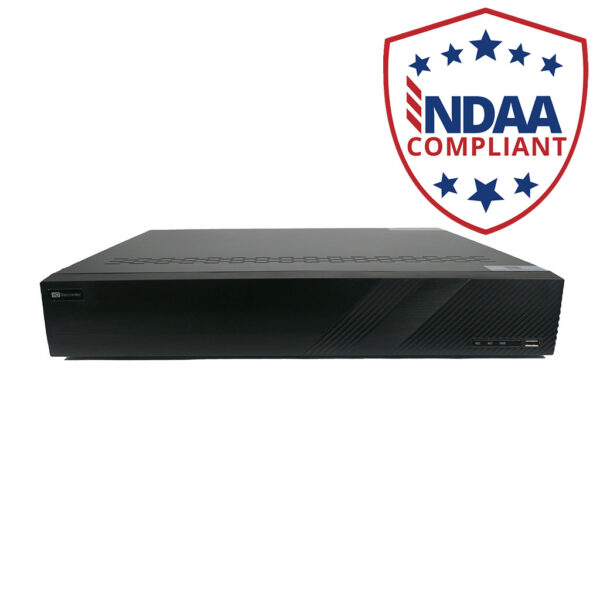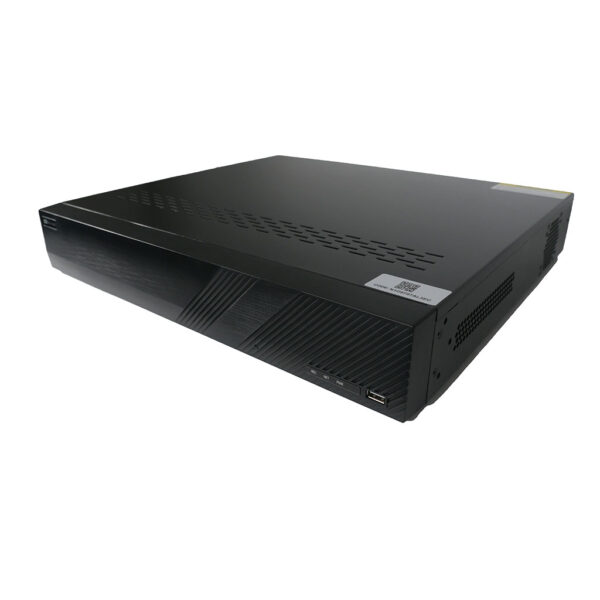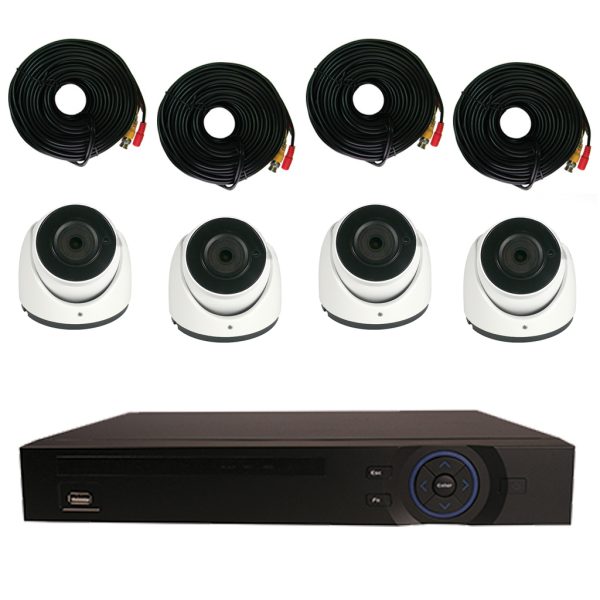
Our Federal Series DVR features embedded Linux OS, remote monitoring from anywhere in the world, audio recording on all channels and H.264 compression. This is NOT a PC based DVR which is subject to viruses and hacking. This is a standalone unit built for only one purpose.
The Federal Series DVR is the state-of-the-art in digital surveillance technology. This DVR features professional grade components and is manufactured to industrial standards. Its advanced functionality makes this one of the best standalone systems on the market today.
This unit is all about versatility. With HDMI, VGA and BNC Video outputs, you can operate several different monitors simultaneously. And, with the included Matrix output, you can also run a separate monitor that can be programmed to display a completely different series of cameras! Need to output a single camera to its own monitor? This is not a problem with our built-in loop connectors. Every channel has its own BNC output that can be used to provide video to a monitor, a multiplexer, or anywhere you need it!
The Federal Series records real-time video and audio at either CIF (360 x 240) or 4CIF (704 x480) or 960H (960 x 480) resolution on every channel. That's right! This unit can record up to 960 x 480 at 30fps on all channels simultaneously. Match this capability against any other DVR on the market today and you will see why this is truly an amazing DVR! It is ideal for use in casinos, for license plate capture, facial detection or anywhere that high resolution images are paramount.
The Federal Series DVR is amazingly simple to setup and operate. An intuitive mouse-driven interface provides very simple point-and-click control over all functions and settings. In addition, the unit also includes an IR remote control. The jog shuttle control can be used to easily fast forward, rewind, and advance frame by frame. Up to 16 channels can be played back at the same time at the DVR, and 4 channels can be played back via the web interface or client software.
This DVR features two Gigabit network ports. One can be configured to take over if the network should fail on the other or they can be set up to load balance offering the ability to stream more data at one time.The built-in Web server allows you to perform most every function of the DVR remotely with Internet Explorer. Client software is also included to allow you to centrally monitor multiple Ultimate Series units simultaneously. Two-way audio over the network or Internet is also standard on the Federal Series. So, not only can you hear what is going on, you can interact. This DVR supports up to 20 simultaneous network or Internet users. With Dynamic DNS support, it is not necessary to have a static IP address on your network in order to remotely access this DVR. This saves you money, as most ISPs charge extra for a static IP address.
Having the ability to remotely view your system is great, but what if you are on the road and just can't monitor your system all the time. This is no problem with the Federal Series DVRs highly flexible email capability. Just set up a standard POP email account and have the system email you anywhere based on any criteria you choose. Many of our customers have emails sent to their cell phone for real time alerts. You choose email triggers that you want, and the DVR does the rest.
Storage capacity will never be a problem with the Federal Series DVR. Up to 8 SATA hard disk drives can be installed if no burner is mounted, and up to 6 SATA drives can be installed if you choose to use the DVD-RW drive. In addition, the DVR supports eSATA to allow you to use removable external eSATA drives to store your footage. RAID hard disk management keeps your data safe from hard drive failures, while FTP backup and recording functionality ensures your video is safe even if the DVR is destroyed.
Video can be backed up to a DVD-RW or a USB thumb drive for safe keeping or in the event that you must give the footage to the police. Video can also be saved right on your PC for easy access.
The easy 3D mouse operated PTZ control allows you to control any PTZ camera. Just click on the screen and drag your mouse around. The PTZ camera follows the mouse pointer so you can smoothly and accurately follow any objects of interest.
This system runs on a rock solid Linux embedded OS, with embedded web server, and digital signal processors to bring you the most powerful network-based digital video recorder available. This high end system will provide you with everything you need other than a monitor. If you tie the system into your network, you wont even need a monitor to view your DVR.
The Federal Series DVR comes with an industry leading FULL 3 YEAR WARRANTY !!
And don't forget that we provide support for every step of your installation project.
***Please note: In most cases we will be able to remotely assist you in the configuration of your computer network for remote DVR viewing. However, we cannot be responsible for complex network configuration or the performance of your internet connection.***
DVR-FE08240 Specifications
Recording Speed
CIF @ 30fps / D1 @ 30fps / 960h @ 30fps
Resolution
CIF (352x240) / D1(704x480) / 960h (928x480)
Drive Capacity:
8 SATA
Video Inputs
16CH Total
Ethernet Ports
2
Video Outputs
VGA / BNC / HDMI
Audio Inputs
16
Audio Outputs
1
Internal DVD Burner Support
Yes
Smart Phone Access/Push Notification
Yes
Motion Activated Recording
Yes
PTZ Control
Yes
Simultaneous Remote Users
20
Unboxing of the 16CH Federal Series DVR
This is the unboxing video of our 16CH Federal Series DVR.
Local Interface for Federal, HD SDI and Hybrid DVRs
This is a video demonstration of our DVR's Interface locally. in this video We will show you some of the amazing features that our units carry.
Remote Viewing of the Elite Mini, Elite, and Ultimate Series Security DVR
This video is a quick demo of remote access to our DVRs. All of our DVRs can be connected to remotely in this manner. You can use Internet Explorer, Google Chrome, Firefox and other browsers from any internet connected PC. Additionally, we have software available for remote access from MAC computers.
Quick Demo Of Our Video Management Software
This video is a quick demo of our video management software (PSS) that allows you to remotely connect to multiple DVRs, NVRs and IP cameras at multiple locations at once. With this software, you can set up camera groups, E-Maps, control PTZs, listen to audio and configure all the DVRs, NVRs and IP cameras. If you own multiple businesses or homes this software is ideal for you.
TechproSS Plus iPhone Demo
This is a quick demo of our new redesigned TechproSS Plus App for iPhone, iPods and iPads. This software is packed with a lot of new features that will allow you to remotely or locally view and manage your Techvision CCTV surveillance system
TechproSS Plus iPad Demo
This is a quick demonstration of our new app for iPad. TechproSS Plus is packed with awesome features allowing you to remotely see your cameras, manage sub stream resolution, activate alarm inputs and much more.
TechproSS Plus Android Demo
This is a quick video demonstration of our new App for Android TechproSS Plus.
In this video you will see some of the features that this app offers such as channel configuration, Push notifications, Playback and more.
16 Channel Federal Series H.264 960H Realtime Security DVR
Review by Carl Williams on Apr 09, 2013
This16 channel Federal series DVR is working extremely well for us and seems to handle the workload as well as the bandwidth usage over our network without any problems. We had made a decision that, for our purpose, we wanted the biggest (analog) video recording display we could find and I must admit that 960 X 480 is pretty darn big for a security camera recording. Actually the DVR lets you choose from several recording resolutions including 960 X 480, 4CIF (D1) or 704 X 480, and CIF (360 X 240) all at real-time recording rates that is 30 frames per second. Eight channels can be played back on the DVR at the same time on the monitor and if you are using the web interface or Security Camera King client software, 4 cameras can be played back at once. The DVR case is large but rack mountable. We have no use for the DVD burner as we use our computers to burn any DVDs that may be necessary so we use the extra space to take advantage of the 24 Tb maximum of internal hard drive storage. On that note, one thing I'd like to see in the future is a DVR that might be able to utilize commercial storage sites on the Internet. This way, the DVR could send the recordings to "the cloud" and the storage space could be greatly increased based on the providers' servers. The DVR also has two RJ45 Ethernet ports. They can be used as redundancy backup but we prefer to use them in tandem to increase our overall bandwidth output for streaming. There is very little that you can't do with this DVR and the quality is excellent!
This Is The Bridge Between Analog And Digital Security Camera Surveillance!
Review by Jenkins, Harvey (Virginia USA) on Mar 15, 2013
It truly is. This Security Camera King enterprise type 16 Channel Federal Series H.264 960H Realtime Security DVR is at the top of the scale of the "analog" type DVRs while just not quite reaching the bottom of the scale of the digital security camera series. As a contractor, I have had many questions about this DVR (particularly the "Federal" part) and I have also had many jobs with contract specifications (ironically enough, many for the "Federal" government) that require this format. Security Camera King's 16 Channel Federal Series H.264 960H Realtime Security DVR is always my recommendation for this type of DVR. This DVR produces a high quality video recording in a 960H format (that's about 30% higher than D1) that I think exceeds all others I've seen. The videos of course are high in resolution, clarity, and the colors are correct, rarely do they ever need any adjustments. In addition, this DVR is configured with two Gigabit ports on the back end. These ports can actually be configured to work in tandem to balance the bandwidth load so that it can stream more data simultaneously, or they can be set up in a redundancy configuration so in case one fails, the other can back it up. This is important, especially for enterprise applications when there are up to 20 simultaneous network or Internet users. Recording resolutions this large require plenty of storage space and this unit can satisfy that requirement too. It can hold up to 8 SATA hard disk drives (if no DVD burner is installed) and using 3 Terabyte drives that's a total of 24 Terabytes of storage. If the DVD burner is installed, it can still hold 6 SATA hard disk drives for a total of 18 Terabytes of storage. I can tell you that this DVR will not disappoint you or your customers. It also comes with all the other 'extra" features (and to give them credit, I consider them "standard" features for Security Camera King DVRs) including audio, alarms, multiple displays including HDMI, variable recording resolutions, Internet options, and many more. It also comes with the 3D mouse operated PTZ technology and a full 3 year warranty.
16 Channel Federal Series H.264 960H Realtime Security DVR
2 of 2 people found this posting helpful
Review by Walkin, Don (California USA) on Feb 22, 2013
As a CCTV installer I've been in this business for about 15 years and over these past 15, there have been a tremendous amount of positive changes. That includes the increased recording resolution on analog cameras as well as the newer ultra high "mega" resolutions on digital hardware. As a result, I learned through time about the differences in displays, recording resolutions, and camera resolutions. Sticking with the DVR end of things, CIF is 352 X 240 pixels in size. That's the size of the video you will get that the camera records at if it is a CIF resolution recording. D1 is 704 X 480 pixels in size which is much, much bigger. What significance does this have? You can only see so much detail in a CIF resolution recording. If you try to enlarge it, it may help a little but usually once you try to enlarge it, the video picture becomes pixelated and what was once a very tiny object is now a very large collection of smaller squares of the same color, but unidentifiable as the object you knew it was in the CIF display. So, if you are looking for detail and what to see more, you go with D1. Naturally enlarging a D1 resolution capture to a size that a CIF resolution is enlarged to will result in less pixilation and distortion. 960H however, is more like watching our old television sets versus going to the movie theater. The resolution is larger horizontally (704 pixels versus 960) but the same vertically (480 pixels). What happens is that the slight distortions that can occur by depicting the image as a square (CIF or D1) versus a rectangle (960H) no longer appear in the 960H. That's exactly what Security Camera King's 16 Channel Federal Series DVR does. The picture is finer, larger, and color correct as well. Keep in mind that what you record and what you watch live on your display monitor might very well be different (especially in the case of megapixel cameras) in resolution, so you can't judge a system's recording just by its live display. Imagine your computer handling the display and recording of 16 camcorders at once. That's basically what this DVR does in analog format. I seen some other brands, but none of them have been able to compare to Security Camera King's as far as I'm concerned.
I have my own security company and I install a lot of alarms, security cameras, and even computer related equipment. I normally give an estimate to a potential or place a bid if required and if they accept, I supply all the materials needed to complete the job. Recently I encountered a bit of an unusual circumstance. A new Credit Union was constructed in town and I put in a bid for the security camera surveillance system. I was awarded the contract with one stipulation and that was (and of course my bid reflected this initially) that I use the "credit unions" pre-purchased equipment. Turns out it included the 16 Channel Federal Series H.264 960H DVR that they purchase from Security Camera King. Whether you can believe it or not, I've never dealt with these Techvision products before (or with Security Camera King). However, after performing this installation I think I will see if I can be a dealer and drop the usual brand I've used. This Federal series DVR is truly amazing. 960H resolution video recording that is, without exception, perfect. The audio also records well and the microphones do a god job of pick up. The credit union doesn't use the alarm inputs/outputs as they have a separate, more elaborate alarm system as you can imagine but if it is anything like the rest of the DVR I'm sure it works well. The DVR's OSD offers complete control over the system and the cameras and provides the user with a good mix of adjustment options. I was surprised to discover two Ethernet ports on the back panel for connection to a network or Internet. I was even more impressed when I discovered that you can program these two ports to work together to increase the ability to stream data or you can set them up like a RAID controller for hard drives where one basically acts as a backup to the other in case of failure. The DVR has excellent quality, including the backing by its full 3 year warranty and offers plenty of storage options for that big resolution recording.
My first IT job that I got after completing my college degree was working for my current employer, a government agency (I'll withhold the name for obvious reasons). The first thing the Officer In Charge of our office did was put me in charge of this entire security system, including our newly acquired Security Camera King 16 Channel Federal Series H.264 960H Realtime Security DVR and System. My IT degree didn't exactly cover security cameras gut it actually seemed kind of fun as a bit of a deviation from the norm. (Don't worry, I still do IT related tasks as well.) However, when I first looked at the manual for this DVR I about freaked. I couldn't believe all the different features, options, and settings. I figured I'd need another college degree just on this DVR! Well I read through the manual and then decided to "take the plunge" and try opening up the On Screen Display menu and search through the pages. I was extremely (and thankfully) surprised that it wasn't nearly as difficult as I thought it would be. The OSD is pretty intuitive, in fact it reminds me of typical operating system graphics users interface. And the most amazing thing about this DVR is once you set it, you can walk away and leave it for days without having to touch a thing! If our network and personal computers worked like that I wouldn't have a job right now. Our unit has a DVD burner and plenty of internal hard drive storage so it can last for days before you do anything with it (actually, if you let it automatically overwrite you don't have to touch it for months). The displays are amazing and although we have the DVR rack mounted in our server room we also have a local HDMI connected monitor there. But the majority of our users access the unit through the network (or Internet). I've never seen a machine like this one with two gigabit ports on it to increase data streaming. This is a most excellent machine; as I said in my title it's a beast! The only problems I've encountered so far with the DVR is loss of users connectivity because our own network was down. I'm telling you, if the network ran as smooth as this machine it would be golden!
16 Channel Federal Series H.264 960H Realtime Security DVR
4 of 4 people found this posting helpful
Review by Judd Marsh on Jan 15, 2013
I looked at other brands like ProVision that have 16 Channel 960H Real-time Security DVRs but none of them seem to stack up to Security Camera King. As the person in charge of purchasing, installing, and maintaining our security camera system, I want the best possible DVR that requires the least amount of maintenance at the lowest possible price and I think I found that in the Security Camera King model. The DVR works great with out any freezing, sputtering, crashes, or need for reboots. It's loaded with many electronic features that are very useful and enhance the overall security of our system. There's plenty of room for internal hard disk drives for storage and/or a DVD burner too. This is one of the few 960H models I've seen with dual Gigabit ports. We set ours up on our network so the ports work together to increase our streaming data bits and it works great. I highly recommend Security Camera King DVRs.
16 Channel Federal Series H.264 960H Realtime Security DVR
4 of 4 people found this posting helpful
Review by Pete Halloran on Jan 01, 2013
Many people have the day off today to enjoy the New Year; however some of us must still keep the "axles turning." So I thought while I was working today I would write a review for the Security Camera King 16 Channel Federal Series H.264 960H Realtime Security DVR. We purchased ours back in July of 2012 and after having used it continuously now for 6 months, I thought it would be a good time to write about it. First, I doubt you'll be using this DVR unless you specifically desire very large video recording displays. After all, that's what this DVR is all about; it records 16 cameras at 960 X 480 resolution at 30 frames per second without skipping a beat. Don't ask me how it does it, I haven't got a clue. But I can tell you that the videos are very clear and colorful and large and detailed (we use 700 TVL resolution cameras too). It can stream videos like crazy and that's because it actually has two network ports that can be set up to work together increase your data bandwidth. You could set them up where one backs up the other in case of failure but to me that would be a waste of the resources because making them work in tandem really increases your network output potential. The DVR unit itself is rack mountable but still pretty large and that's good because that means it can hold a lot of internal hard disk storage drives. And if you want to record much with this unit (like around the clock) than you'll want to have as much viable storage capacity that you can get as 960H resolution on 16 channels at 30 frames per second can take up a lot of room in a very short time, especially if you record at the highest quality setting. While doing all of this video recording, our unit also manages a PTZ camera and it does a fine job of that too. We use the 3D mouse PTZ positioning where you basically click with the mouse and the PTZ knows to go there and it works great (and it's easy to use). Overall, you just can't beat this DVR. About the only thing better than a 960H would be a megapixel camera and IP systems are a whole new ball game. After using this unit for six months, I easily rate it at 5 stars!
Great Performer, Unbelievable Recording Resolution and Quality!
4 of 4 people found this posting helpful
Review by Cory Geertson on Dec 18, 2012
Our company needed a DVR that record 700 TVL cameras at the largest resolution we could find and we needed to use at least 15 cameras at the same time. I expected that we probably could find a professional DVR that would record D1 on all channels and that's what I initially went scouting for. Imagine my surprise when I came across the Security Camera King 16 Channel Federal Series H.264 960H Realtime Security DVR! I couldn't believe that it was possible to find a unit that could record in resolution display larger than D1 (this unit records in 960 X480) and that wasn't an IP megapixel NVR or hybrid. Well that was several months ago and now we have the unit installed, with 16 cameras including one 700 TVL PTZ camera and I can tell you it works absolutely great. Not only does this DVR record 960 X 480 at 30 frames per second but it is packed with additional useful features and options as well. In addition to the video recording, we have also decided to make use of the DVR's alarm system and have connected it locally and to a monitoring station. We also record audio on 6 of the channels (you can actually record audio on up to 16 channels). Thanks to our IT techs and your support department, we have also connected both Gigabit network ports in such a manner as to greatly increase our streaming capability and quality. We chose not to install the DVD burner as we can easily copy any necessary footage to a USB thumb drive (which now these days has far greater capacity than a DVD anyway), so we could maximize our internal storage potential. We have also have added several external eSATA drives because recording at this resolution demands a lot of storage space if you plan to record continuously and don't want short turnaround times. We have set up a special computer on our network that is dedicated to the sole use of backing up these files to when the drives are ready to be dumped and we do so easily using FTP through our network. I could go on for along time about even more advantages of this DVR but let end by saying that we are definitely satisfied with its performance and quality and we would highly recommend this DVR to anyone with a need for large resolution recordings!
This is SERIOUS Security Camera Surveillance Recording!
4 of 4 people found this posting helpful
Review by A & B Electronics Connection on Nov 30, 2012
This DVR was made for some serious surveillance recording. I can't believe it records 960 X 480 resolution on all channels simultaneously at 30 frames per second! That's almost unreal! The display resolution potential of the DVR at 1920 X 1080 is amazing as well. Where do you start with a review on a machine of this caliber? There are many features, so many that it would be difficult to mention them all here. Let's just say that we haven't had a lot of customers request this DVR in our market but for those that have, they are ELATED with it! The HDMI, VGA, and BNC output options along with the other display combinations make this unit very versatile in that regard. Sixteen channel audio recording in addition to the video and two-way audio capability is fantastic. The dual network ports do an excellent job at load balancing and allow you to stream data effortlessly. Finally, the on screen display menu system offers not only the ability to easily adjust basic settings but also contains a wealth of extra electronic video recording enhancing features. This is an excellent DVR that deserves a rating of five plus stars.
Security Camera King 16 Channel Federal Series H.264 960H Realtime Secuity DVR
4 of 4 people found this posting helpful
Review by Doug Stiles, Independent CCTV Installer/Contractor on Nov 08, 2012
This DVR is a BEAST! This is not an average DVR! 960 X 480 resolution recording at 30 frames per second is massive resolution for 16 channels at once! It is actually better than having two of the fastest personal computers working in tandem on the same problem. Plus it can handle 16 channels of audio (one for every camera if needed) and 16 channels of alarm inputs (seems like everything comes in groups of 16!...lol). There are plenty of display options and connections including the old standard BNC as well as VGA and HDMI. My personal opinion is that you'll want to use a large screen LCD or LED TV/Monitor with the HDMI connection so you can get 1080p resolution and audio in one cable. This DVR actually allows you to connect 2 Cat5 Ethernet cables to it for extra load Internet access and streaming. The unit also allows you to set up the two ports as a back up or standby option in the event one should go down. You get two way audio capability OVER THE INTERNET with this unit and also remote access capability from a personal computer, MAC, or smartphone. You can also have the DVR send you e-mail alerts. The more I bring this unit to the attention of my customers, the more I get order requests for them. This is the top of the line when it comes to 16 channel DVR units.